
How To Check Your 2024 WASSCE Results: A Complete Guide
 Follow us on Google News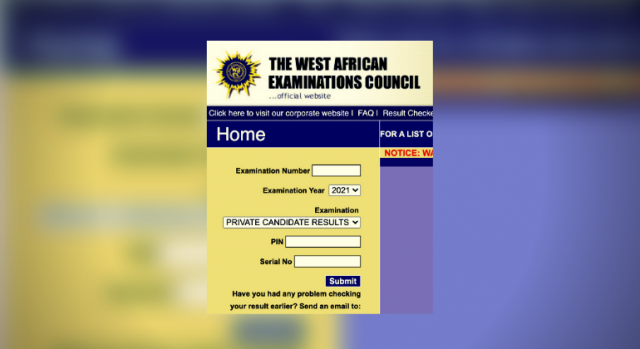
How To Check Your 2024 WASSCE Results: A Complete Guide
The West African Examinations Council (WAEC) has officially released the results for the 2024 West African Senior School Certificate Examination (WASSCE) for school candidates……CONTINUE READING
This announcement was made on Monday through a post on X.
The post stated, “The West African Examinations Council is pleased to inform candidates who sat WASSCE for school candidates, 2024 that the result has officially been released today, Monday, 12th August 2024.”
In this report, The PUNCH provides a guide on how to check your results using both SMS and the official website:
How to Check WAEC Results via SMS
- On your mobile device, type: WAECExamNoPIN*ExamYear.
- Send the message to 32327.
- You will receive an instant message containing your WAEC statement of result.
Please note that this SMS method is available only to MTN, Glo, and Airtel subscribers.
If you do not receive your result via SMS, simply repeat the process. Note that SMS charges apply when using this method.
How to Check WAEC Results via the Website
To check your WAEC result online, follow these steps:
- Visit the WAEC Result Checker website at www.waecdirect.org.
- Enter your Examination Number.
- Select the Examination Type (e.g., May/June).
- Select the Examination Year (e.g., 2024).
- Click on “Check Result.”
Please be aware that you may need a WAEC scratch card to access your results online
For the latest updates and juicy gossip, dive into the Bushradiogist platform by clicking this link: Bushradio. For advert placement only, shoot a WhatsApp message to 0807 580 6790.







Comments
0 comments